
For a Buyer:
1. In your AuctionsPlus app, select Menu on the bottom right.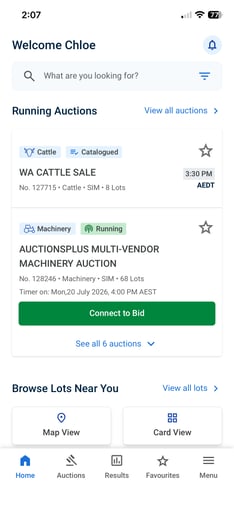
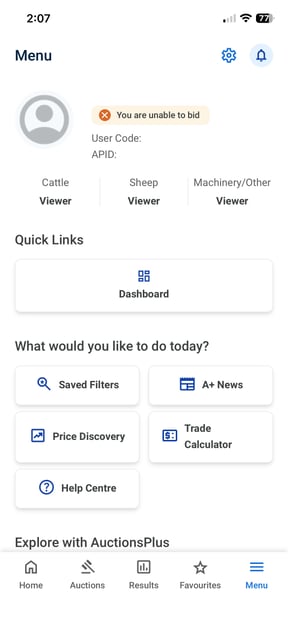
2. Open your Dashboard via Quick Links.
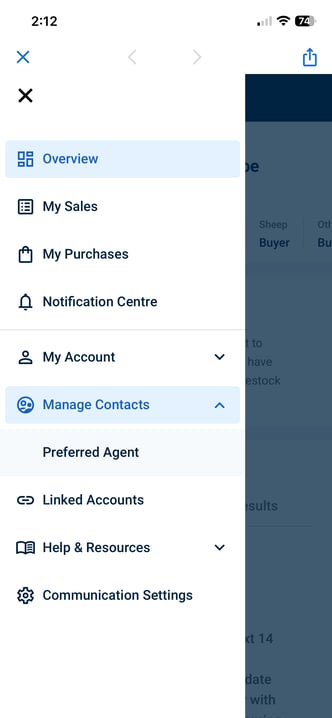
3. Select the slicer on the top left and choose Manage Contacts > Preferred Agent
4. From here, you can search for the agency (branch/location) and the specific agent. If your agent does not appear in this list, please give us a call, it is likely they aren't fully set up in our system.
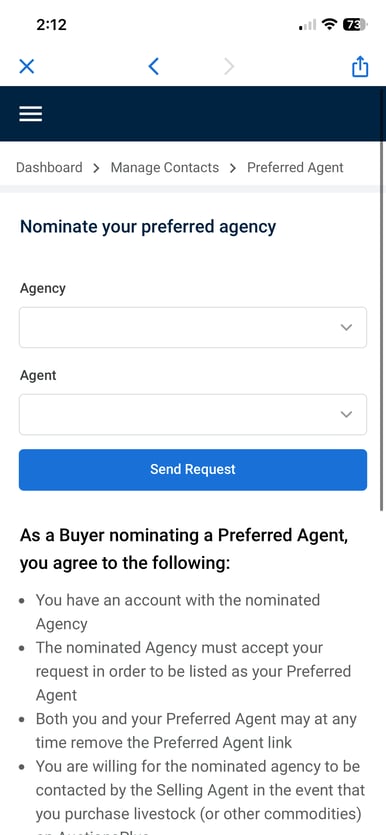
Once you have sent the request, this will go through to your Agent to approve the request. If the Agency approves this request, their details will be visible to the selling agent when you purchase a lot on AuctionsPlus. You have full control over Linked Agents and can remove an Agent at any time.
Approving a request confirms that you have an account with that agency, but does not mean they agree to settle all accounts for AuctionsPlus purchases - the selling agent must contact your agent to confirm prior to sending them an invoice.
Please contact the AuctionsPlus team on 02 9262 4222 or email [email protected] if you have any questions.