
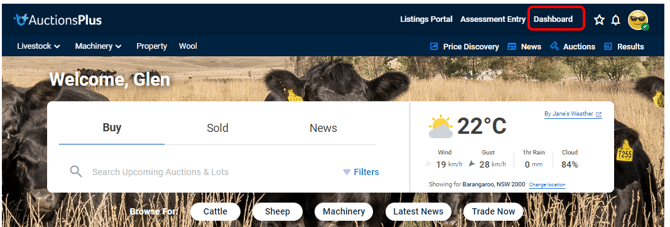
Step 1 - Access the AuctionsPlus Dashboard
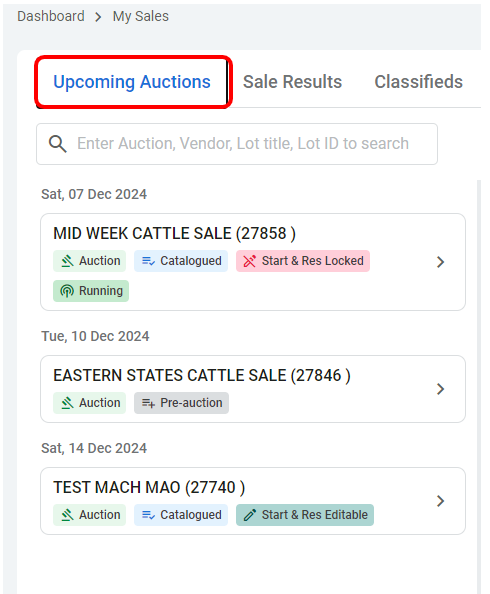
Step 2 - navigate to My Sales and select the approriate sale
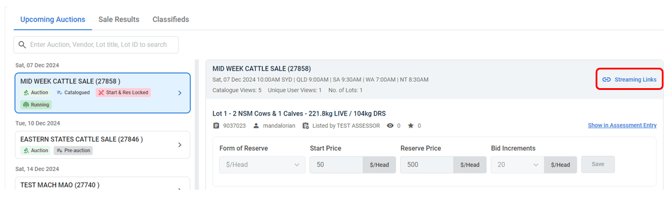
Step 3 - Select the Streaming Links
Step 4 - Copy, paste or share the relevant link across your onsite team
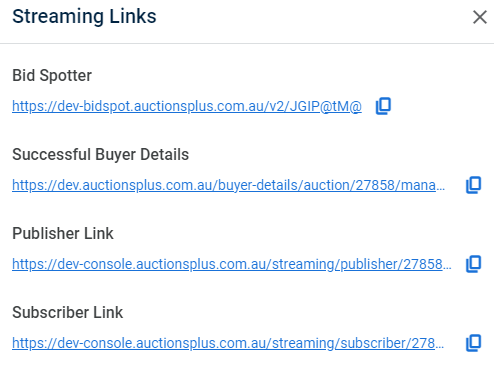
Bidspotter Link: Communication throughout the sale of online buyers participating in the auction
Successful Buyers Details: Further information which is required from the buyer for transportation of their purchases can be found through this link
Publisher Link: Will be the link which you will use for running the audio
Subscriber Link: To check the audio quality produced by the publisher link
We are here to help! If you require any further assistance, please reach out to us via our Contact Us page.