
Getting Started
Step 1 — Open the AuctionsPlus Listings Portal
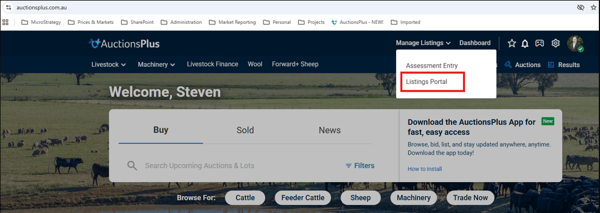
Visit the AuctionsPlus website homepage
Navigate to Manage Listings and select Listings Portal
Step 2 — Select the auction to list in
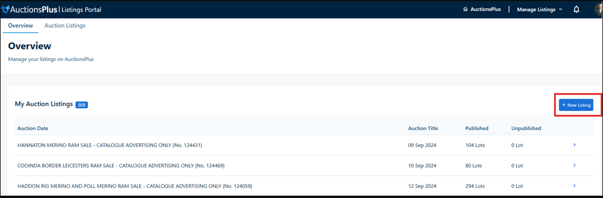
Select New Listing
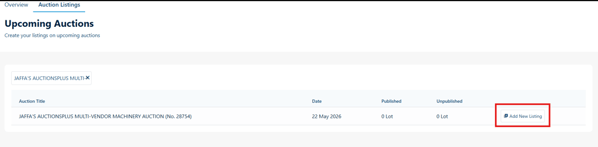
Scroll to find the auction to list in - and select Add New Listing
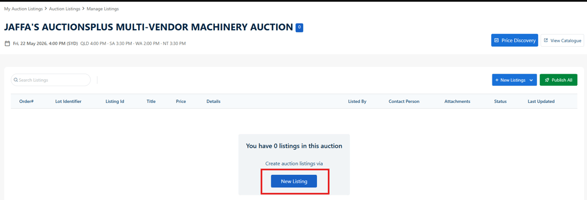
Select +New Listings
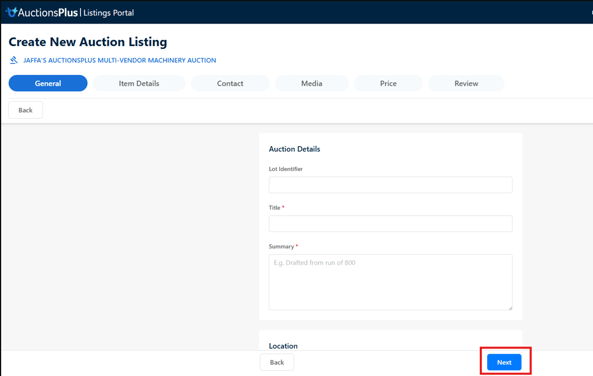
Step 3 - Enter relevant listings detail
- note that field flagged with * are mandatory
- Select Next once tab’s details are complete
Step 4 - Publish
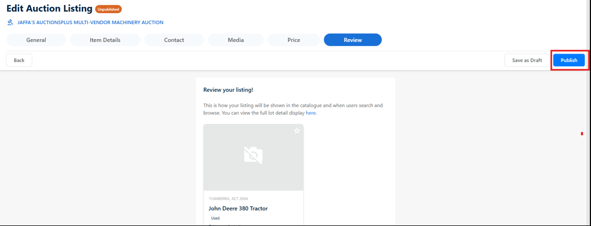
Upon completion, review the listing and select Publish
Need Help?
For any questions about the listing , contact the AuctionsPlus Customer Service Team:
- Phone: (02) 9262 4222