
Benefits of linking AuctionsPlus and StockCo accounts
- Available finance balance displayed when you browse and buy in AuctionsPlus
- Simpler and faster settlement
- Automated reminders to utilise available StockCo balances
How to Link your AuctionsPlus and StockCo accounts
1. In your AuctionsPlus app, select Menu on the bottom right.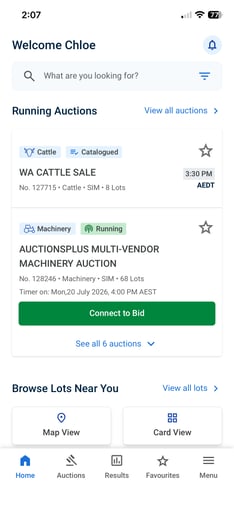
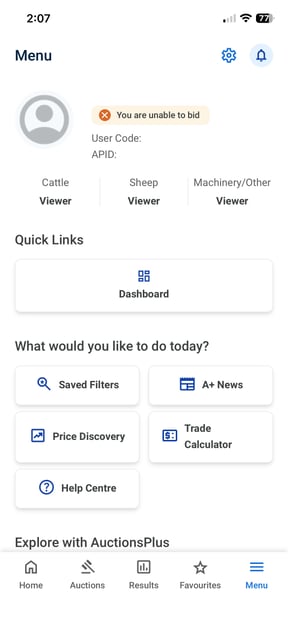
2. Open your Dashboard via Quick Links.
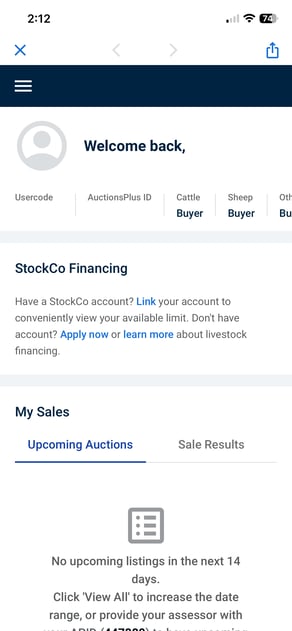
3. Select Link via the StockCo tile on the Overview page, or if you can't see that, Select the slicer on the top left and Linked Accounts.
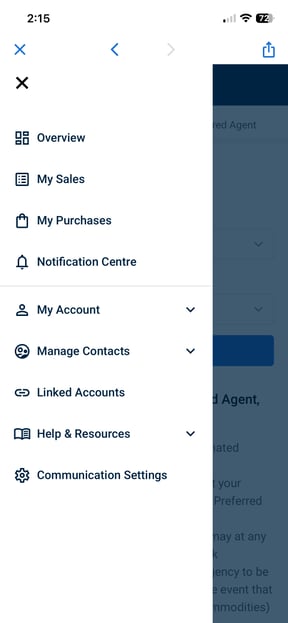
Now simple toggle on the StockCo Livestock Financing button and confirm the details that will be passed to the StockCo team to review.
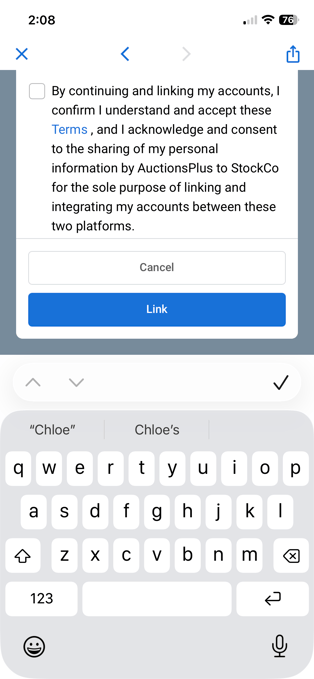
It really is that easy!
Once your Link Request has been sent, the StockCo team will review and approve your account integration and you will be notified via email.
Please contact the AuctionsPlus team on 02 9262 4222 or email [email protected] if you have any questions.